Home Office
Carve a comfortable, camera-ready work-from-home corner out of any 1-3BHK flat, on budgets from ₹15k to ₹1.2L+ — with the ergonomics done right.
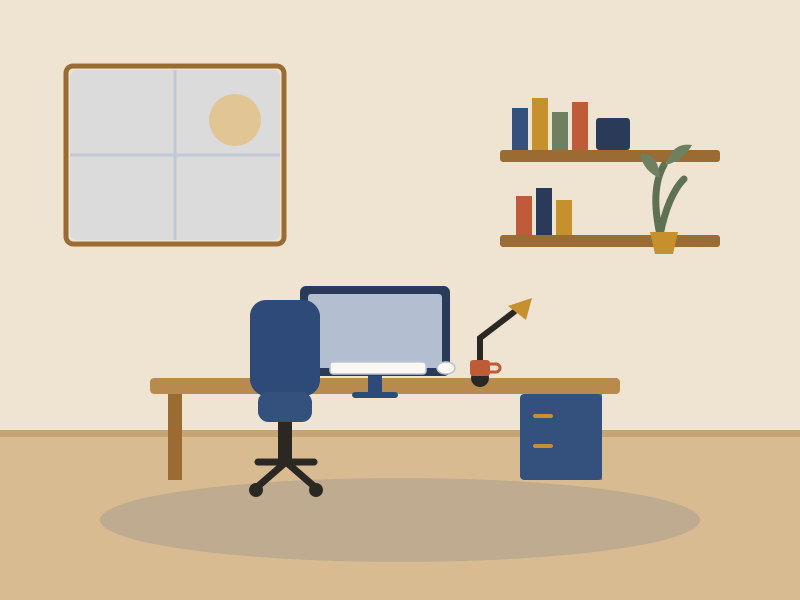
Plan it in the right order
Most Indian work-from-home setups aren't a whole room, they're a corner borrowed from a bedroom, living room or even a balcony. That is completely fine. What separates a good WFH corner from a back-ache-in-a-fortnight one isn't the size or the budget; it's whether the desk height, chair and screen position are correct, and whether you look presentable on a video call. Get those right and an ₹18k setup can be genuinely comfortable for 8-hour days.
Pick the spot before you buy anything. You want a corner that gets daylight from the side (not behind or in front of you), is away from the TV and kitchen noise, and is close enough to a plug point that you're not running a snake of extension boards across the floor. In Indian flats, also plan for the afternoon sun and the inverter: a west-facing wall can turn a laptop screen into a mirror by 3pm, and you want your router and desk on backup during power cuts.
Buy the chair last, but spend on it first
Many people blow the budget on a big desk and a nice lamp, then sit on a ₹1,500 plastic chair for nine hours. Flip it. Your chair is the one thing your body touches all day, so give it the biggest slice of your budget and choose the desk around it.
Plan in 5 steps
- 1 Pick the corner: side daylight, quiet, near a plug and ideally on the inverter line.
- 2 Sort the chair and desk height first, so your elbows land at ~90° and feet stay flat.
- 3 Raise the screen to eye level (laptop stand or riser) and add a separate keyboard and mouse.
- 4 Fix the light: a side-facing window for calls, plus a task lamp for evenings and a soft key light on your face.
- 5 Tidy the cables, add backup for router and laptop, then style the corner with one plant and something personal.
Get the essentials right
Face the right way
Put the desk so a window is to your side, not behind you (a glowing silhouette on calls) or directly in front (glare and squinting). If the corner only has one option, backing a solid wall is best: it steadies the video-call background and gives you a sense of privacy.
Small footprint, honest depth
A 100–120cm wide desk fits most corners; renters and tight rooms can drop to an 80–90cm wall-mounted folding desk. Whatever the width, keep at least 45–50cm of depth so the monitor sits an arm's length away and you're not typing with the screen in your nose.
Zone it off
When the office lives inside a bedroom or hall, define it visually: a rug under the chair, an open shelf or a curtain as a divider, or just a different wall colour behind the desk. A clear boundary helps you (and the family) treat it as work space and switch off at the end of the day.
Three ways to do it
Essential
A genuinely comfortable one-person corner built around a decent chair and correct screen height.
- Sturdy 100cm desk (or a folding wall-mount) plus an ergonomic-ish chair with adjustable height and lumbar support
- Laptop stand or riser plus a separate wireless keyboard and mouse (the single biggest posture upgrade)
- A clip-on or table task lamp, a 4-socket surge board, and one plant to soften the corner
Comfort
A proper daily-driver station with a real chair, a monitor and lighting that works on camera.
- Mid-range ergonomic chair (adjustable arms plus lumbar) and a 120–140cm desk with a cable tray
- External 24–27" monitor on an arm, wireless keyboard and mouse, and a footrest
- Layered light: task lamp plus a soft key light for calls, plus a small UPS so the router stays up in cuts
Premium
A built-to-last home office you'd happily work from full-time for years.
- Sit-stand (height-adjustable) desk plus a premium ergonomic chair (Herman Miller / Featherlite-class)
- Dual or ultrawide monitor on arms, mechanical keyboard, a dedicated webcam, mic and key light
- Acoustic panels or a bookshelf backdrop, custom storage, a good inverter/UPS line and finished cable management
What makes a complete home office
Core essentials plus optional upgrades — each links to a live category search.
Some links are affiliate links — we may earn a small commission at no extra cost to you. See our disclosure. Prices indicative; verify before buying.
Build your home-office budget
Ergonomics — set it up so it doesn't hurt
This is the part almost everyone gets wrong, and it's the difference between working from home for years and quietly wrecking your neck and lower back. You don't need expensive gear to sit correctly — you need the right heights and distances. Set these once and your body stops fighting you all day.
Desk height
For a seated desk, aim for roughly 72–76cm from the floor to the top. The real test is your elbows: when your hands rest on the keyboard, your elbows should sit at about 90° and your forearms run roughly parallel to the floor. If a fixed desk is too high, raise the chair and add a footrest so your feet don't dangle.
Chair and seat
Choose a chair whose seat height adjusts across the 40–52cm range with real lumbar (lower-back) support. Sit fully back so the backrest cradles your lower spine, keep hips level with or slightly above your knees, and make sure your feet are flat on the floor or a footrest, not dangling.
Monitor height and distance
The top of the screen should sit at or just below eye level, so your gaze drops slightly onto the middle of the screen and you're not craning up or hunching down. Keep it about an arm's length away (50–70cm). On a laptop this means a stand plus an external keyboard, otherwise the screen and keyboard can never both be right.
Elbows, wrists and feet
Keep elbows close to your body at about 90°, wrists straight and floating (not bent up or pressing hard on the desk edge), and feet flat. If your chair has armrests, set them so your shoulders stay relaxed, not shrugged up towards your ears.
Light and screen glare
Position the desk so a window is to your side. A window behind you throws glare on the screen; a window in front makes you squint and blows out the camera. For evenings add a task lamp off to one side, and for video calls put a soft light in front of your face, slightly above eye level, so you're lit rather than silhouetted.
Breaks and eyes
Follow the 20-20-20 rule: every 20 minutes, look at something about 20 feet (6m) away for 20 seconds to rest your eyes. Stand, stretch or walk for a couple of minutes every 30–45 minutes — tropical afternoons make it easy to stiffen up — and keep water on the desk so you actually hydrate.
Vastu, if it matters to you
If vastu matters to you, a study or work desk is often placed so you sit facing east or north while working, with a solid wall behind your back for support and the desk in the north, east or north-east of the room. Keep the area clutter-free and well-lit. This is optional guidance — follow it only if it's meaningful to you, and never at the cost of good side-lighting and posture.
Do it yourself
- Assembling a ready-made desk, chair and shelf, and setting your own screen and chair heights using the numbers above
- Cable management, adding a laptop stand or riser, a task lamp and a surge board or small UPS
- Styling the corner: rug, one plant, a pinboard, and a tidy video-call background
Hire a professional
- A wall-mounted or custom-built desk that has to be drilled and levelled into a specific niche
- Adding new plug points, dedicated inverter/UPS wiring, or moving power to the corner (call a licensed electrician)
- A full built-in office wall with loft storage, acoustic treatment and integrated lighting
Common home-office mistakes
Working off the laptop alone
A bare laptop forces you to choose between a screen that's too low (neck bent) or a keyboard that's too high (shoulders shrugged). You can't have both right. A ₹800 stand plus a cheap external keyboard and mouse fixes it instantly.
A window right behind you
It looks fine to you, but on every call you're a dark silhouette against a glowing window, and the screen picks up constant glare. Turn the desk so the window is to one side instead.
Cheaping out on the chair
A hard dining or plastic chair for 8-hour days is how backs and necks get hurt. Even on the Essential budget, put the biggest share into a chair with adjustable height and lumbar support.
Ignoring power cuts and cables
In many Indian localities the power still blinks. If your router and laptop aren't on the inverter or a small UPS, every cut ends your meeting. And a tangle of loose cables under the desk collects dust and trips feet — tidy them once with clips or a tray.
Questions people ask
Roughly ₹15,000–30,000 for a comfortable essential corner (desk, a decent chair, laptop stand, keyboard and lamp), ₹45,000–80,000 for a proper station with an ergonomic chair, external monitor and good lighting, and ₹1.2 lakh or more for a premium sit-stand setup built to last. The chair and correct screen height matter more than how much you spend overall.
Aim for a seated desk height of about 72–76cm and a chair seat that adjusts between roughly 40 and 52cm. The real test is your body: elbows at about 90 degrees with forearms parallel to the floor, feet flat on the floor or a footrest, and the top of your screen at or just below eye level, about an arm's length away.
Borrow a corner rather than a whole room. An 80–120cm desk (or a wall-mounted folding one for renters) in a quiet corner with side daylight is enough. Zone it off with a rug or shelf, keep the desk near a plug point, and use a laptop stand plus an external keyboard so a compact setup is still ergonomic. Freestanding and wall-mounted pieces avoid drilling and are easy to take when you move.
Sit with a window to your side and a solid, tidy wall or a bookshelf behind you. Avoid a window directly behind you (you'll be a silhouette) or directly in front (glare and squinting). For calls after dark, add a soft light in front of your face, slightly above eye level, so you're evenly lit.
Get the setup right: elbows at about 90 degrees, feet flat, lower back supported, and the screen top at eye level an arm's length away. Then move regularly, stand or stretch every 30–45 minutes, and follow the 20-20-20 rule for your eyes (every 20 minutes look about 20 feet away for 20 seconds). Posture plus movement beats any single gadget.